
Army Painter guide
Start with the colours your whole army wears. Switch to Advanced when you want one model’s helmet, cloth or weapon to stand apart.
Download the free Painter Demo
On the Dawn of War IV Steam page, find Download Warhammer 40,000: Dawn of War IV – Painter Demo and choose Download, not a paid edition. The demo includes units from the Space Marines, Orks, Necrons and Adeptus Mechanicus.
One Bladeguard Veteran, two editing modes
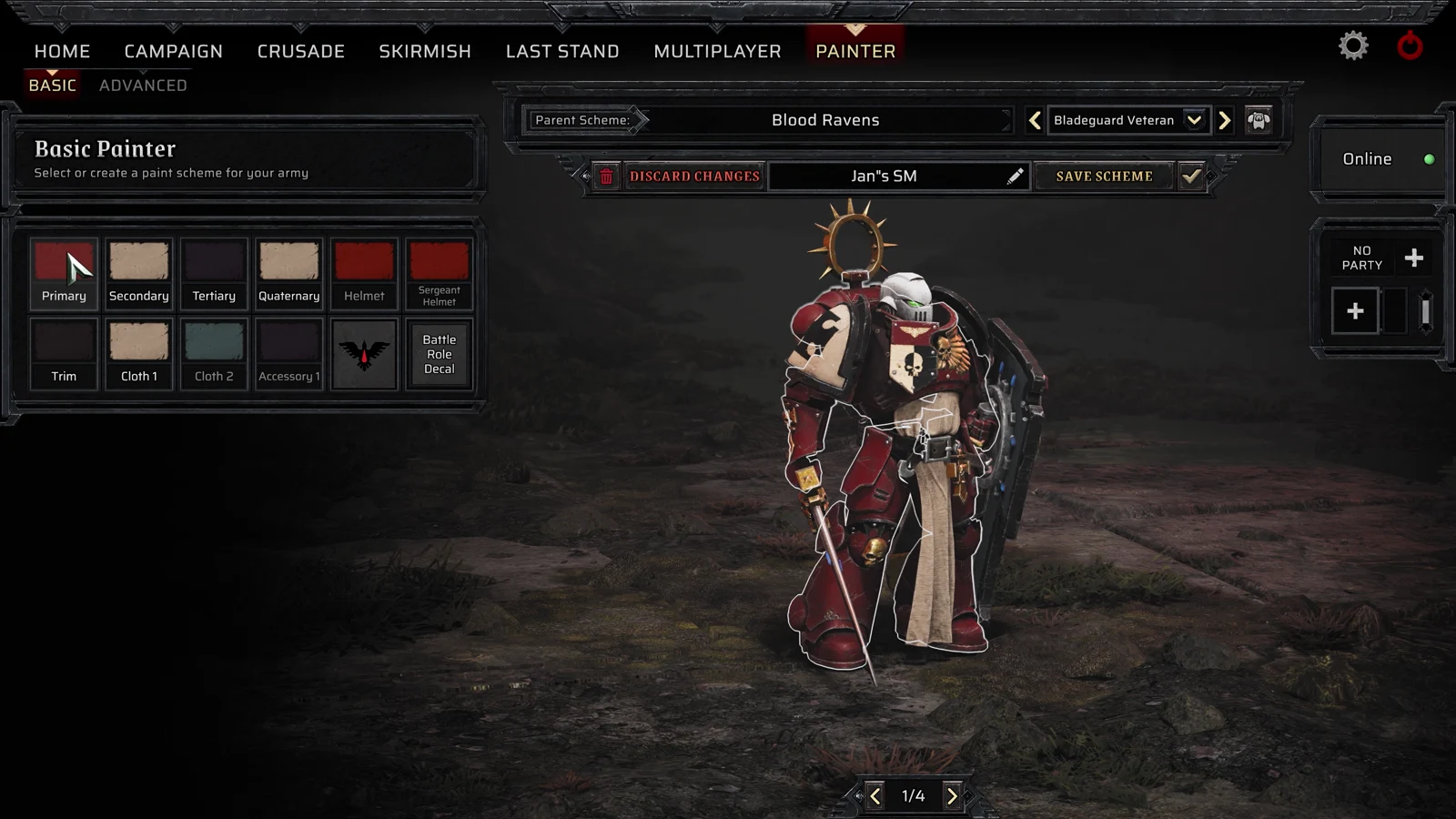
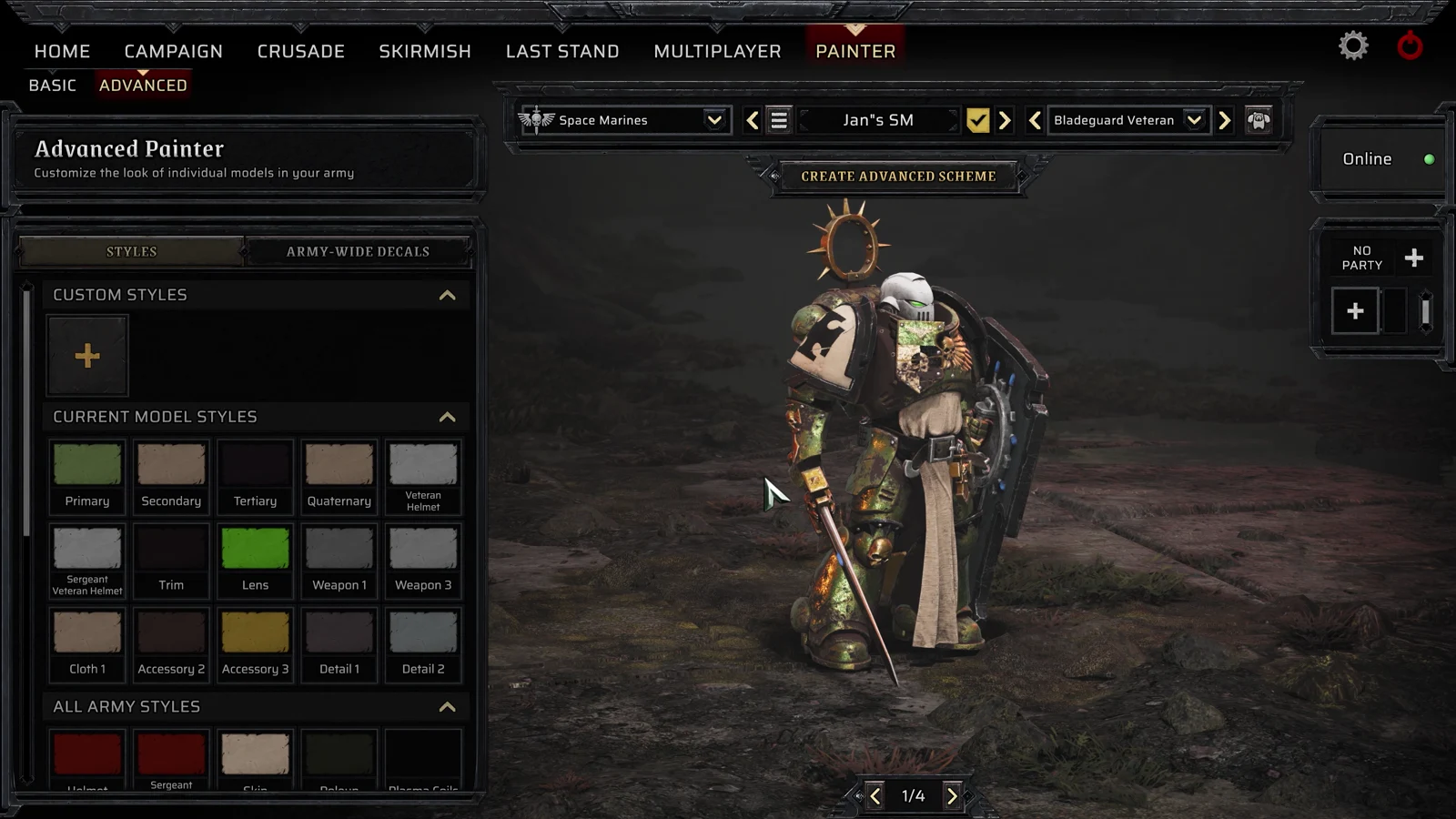
Compare the left panel in these two stills from the official Painter walkthrough. The unit stays the same; the scheme changes during the demonstration. Switching tabs is not what turns the armour green.
Basic · Set the army scheme
Advanced · Work on the model
Save your scheme for the full game
Use Save Scheme to keep the design in the demo. Deep Silver says saved designs can be imported into the full game at launch. Saving is the first step; don’t count on an automatic transfer.